Every time someone types a question into Google, something happens almost instantly. A page loads showing a mix of links, images, maps, and snippets. That page has a name, and understanding it is one of the most practical things you can do to improve your online visibility. SERPs, which stands for Search Engine Results Pages, are exactly what that page is called and how they work has a direct impact on whether your brand gets found or ignored.
This guide breaks down what SERPs are, what they contain, and why the structure of a SERP should inform every decision you make in search engine optimization.
What Does SERP Stand For?
SERP stands for Search Engine Results Page. It refers to the page that a search engine like Google, Bing, or DuckDuckGo displays in response to a user query. When someone searches for ‘best project management software’ or ‘how to fix a leaky faucet,’ the results page they see is a SERP.
In SEO, the phrase ‘ranking on the SERP’ means your page appears on that results page, ideally in a visible position. The goal for most websites is to appear as high on the SERP as possible for their target keywords, because the higher you rank, the more clicks you tend to receive.
What Is Inside a SERP?
Modern SERPs are far more complex than a list of ten blue links. Google has layered in multiple features that change how results look and how users interact with them.
1. Organic Results
These are the traditional unpaid listings that appear based on Google’s ranking algorithm. A strong SEO program targets organic results by building authority, publishing relevant content, and earning backlinks. Organic rankings take time to build but compound over the long term.
2. Paid Ads (PPC)
Paid ads appear at the top and bottom of many SERPs, labeled with a small ‘Sponsored’ tag. They are purchased through platforms like Google Ads and cost money per click. Paid results and organic results coexist on the same page, which is why understanding the full SERP layout matters for both SEO and paid search teams.
3. Featured Snippets
A featured snippet is a block of text pulled from a web page and displayed at the very top of the SERP, above the standard organic results. It often answers a direct question in a box format. Ranking in a featured snippet is sometimes called ‘position zero’ because it sits above the first traditional result.
4. People Also Ask (PAA)
People Also Ask is a dropdown section that shows related questions users commonly search. Each question expands to reveal a short answer and a link to the source page. Appearing in PAA boxes is a form of SERP visibility that many SEO practitioners actively target.
5. Local Pack
When a search has local intent (for example, ‘plumber near me’ or ‘coffee shops in Austin’), Google shows a Local Pack. This is a map with three business listings and their ratings. Local SEO is a separate discipline focused specifically on winning placement in this section of the SERP.
6. AI Overviews
Google has added AI-generated summaries at the top of many SERPs, particularly for informational queries. These overviews pull from multiple sources and synthesize an answer directly on the results page, which means users sometimes get what they need without clicking a single result. This shift has made it more important than ever to be cited as a source, not just to rank.
7. Knowledge Panels
For branded searches or well-known entities, Google displays a knowledge panel on the right side of the SERP. It shows information about the brand, organization, or person pulled from Google’s Knowledge Graph. Building brand entity strength helps populate and control this section.
8. Image and Video Carousels
For visual queries, Google may show a carousel of images or videos before or within the organic results. Optimizing images with proper alt text and structured data, and hosting videos on YouTube, can earn placement in these sections.
Why SERPs Matter for SEO Strategy
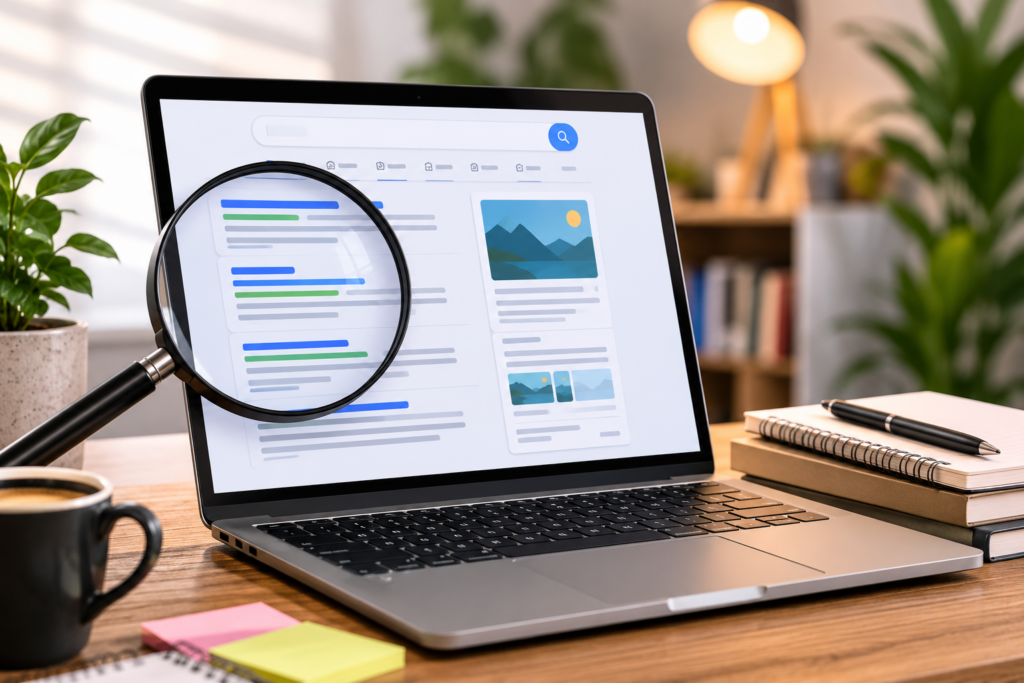
Understanding SERP structure helps you set realistic goals and choose the right tactics. Not every keyword has the same SERP layout. A commercial keyword like ‘buy noise-canceling headphones’ will look very different from an informational one like ‘how does noise cancellation work.’ Knowing that helps you prioritize where to compete.
Many SEO teams track their SERP positions daily using rank-tracking tools. Position one gets a significantly higher share of clicks than position five, and anything beyond the first page receives very little traffic for most queries. The goal is always to move up the SERP for keywords that your target audience actually uses.
SERP analysis also reveals what types of content Google rewards for a given keyword. If the top five results are all comparison articles, publishing a product page for the same keyword will rarely work. Matching your content format to what already ranks on the SERP is one of the most overlooked fundamentals in SEO.
How AI Search Is Changing SERPs
SERPs in 2026 are not the same as they were even two years ago. AI-generated answers now appear at the top of many results pages, and conversational AI tools like ChatGPT and Perplexity have their own versions of SERPs where answers are synthesized, not just linked.
Agencies that specialize in this new landscape, like Version, have built programs specifically designed to get brands cited inside AI-generated answers. This practice, called Generative Engine Optimization (GEO) or Answer Engine Optimization (AEO), is becoming as important as traditional SERP ranking. Version’s AI SEO program targets placement in listicles, Reddit threads, and high-authority press mentions so that LLMs like ChatGPT, Gemini, and Perplexity recommend brands by name when users ask category questions.
SERP Features You Should Track
If you are actively running an SEO program, here are the SERP features worth monitoring:
- Organic position: Your standard ranking for target keywords
- Featured snippet: Whether any of your pages hold a position-zero result
- PAA presence: Whether your content appears in People Also Ask boxes
- Local pack ranking: If you have a physical location or serve specific geographies
- AI Overview citations: Whether your brand is referenced in Google’s AI-generated summaries
- Knowledge panel: Whether your brand has a knowledge panel and what it displays
Tracking all of these gives a fuller picture of your SERP footprint than ranking alone.
Common Misconceptions About SERPs
Ranking #1 is always the goal.
Not always. For some queries, a featured snippet or a strong PAA placement drives more clicks than the first organic result. Sometimes being #3 with a well-optimized title and meta description outperforms a #1 ranking with a weak snippet.
Paid ads push organic results off the page.
Ads take the top and sometimes bottom slots, but organic results are still present on the same page. Users who skip ads actively look for organic results, and organic traffic tends to convert at different rates than paid.
If you rank well on Google, you rank well on all search engines.
Each search engine has its own algorithm. Google, Bing, and DuckDuckGo produce different SERPs for the same query. Most brands prioritize Google because of its dominant market share, but the SERPs are not identical.
Conclusion
SERPs are the battleground for organic visibility. Every element of an SEO strategy, from the keywords you target to the content format you choose to the backlinks you build, ultimately aims to improve your position on the SERP and increase your presence across its features.
Understanding what a SERP contains, how each feature works, and how AI is reshaping the results page gives you a strategic advantage that most businesses simply do not have. It is the foundation every solid SEO program builds on.
FAQ: What Is SERPs in SEO?
1. What does SERP stand for in digital marketing?
SERP stands for Search Engine Results Page. It is the page that appears after a user enters a search query into a search engine like Google or Bing.
2. How many results appear on a Google SERP?
Google typically shows 10 organic results per page, but the total number of visible elements is much higher when you include ads, featured snippets, Local Packs, People Also Ask boxes, and AI Overviews.
3. What is the difference between organic and paid SERP results?
Organic results are earned through SEO and appear based on Google’s ranking algorithm. Paid results are purchased through Google Ads and appear at the top or bottom of the page with a ‘Sponsored’ label.
4. What is a SERP feature?
A SERP feature is any element on the results page beyond the standard organic listings. Examples include featured snippets, Local Packs, People Also Ask boxes, image carousels, and AI Overviews.
5. What does ‘ranking on the SERP’ mean?
It means your web page appears in the results for a specific keyword. The higher your position on the SERP, the more likely users are to click your result.
6. How do AI Overviews affect SERP click-through rates?
AI Overviews often answer queries directly on the SERP, which can reduce clicks to underlying pages. Brands that are cited as sources within AI Overviews tend to maintain visibility and some level of traffic.
7. Can you appear on the SERP without having a website?
Yes. A Google Business Profile can earn placement in the Local Pack on location-based SERPs. A brand can also appear in featured snippets if content about them exists on third-party sites.
8. What is SERP analysis in SEO?
SERP analysis is the process of studying the results page for a target keyword to understand what types of content rank, which SERP features appear, and how competitive the keyword is before you create or optimize content to target it.
